
Table of Contents
ToggleIn a world where computers are the backbone of productivity, nothing feels worse than a sudden hardware failure. Picture this: you’re on the brink of a deadline, and your trusty machine decides to take an unscheduled vacation. Panic sets in as you wonder if you’ll ever see that project again. But fear not! Computer hardware repair isn’t just a lifeline; it’s a superhero in disguise, ready to swoop in and save the day.
From diagnosing pesky issues to replacing faulty components, skilled technicians know the ins and outs of your beloved gadgets. They’ve got the tools and the know-how to breathe life back into your device. So whether you’re a tech novice or a seasoned pro, understanding the basics of computer hardware repair can make all the difference. Let’s dive into the world of repairs and discover how to keep those machines humming along smoothly.
Understanding Computer Hardware Repair
Computer hardware repair plays a significant role in extending the lifespan of devices. Grasping the fundamentals of hardware issues helps maximize productivity and minimize downtime.
Importance of Regular Maintenance
Regular maintenance prevents overheating, which can lead to hardware failure. Cleaning components like fans and vents keeps systems running efficiently. Updating drivers ensures compatibility with software and enhances overall performance. Scheduling routine checks allows technicians to spot potential problems before they escalate. Regular software updates provide security against vulnerabilities. By prioritizing maintenance, users can avoid costly repairs and extend device lifespan significantly.
Common Hardware Issues
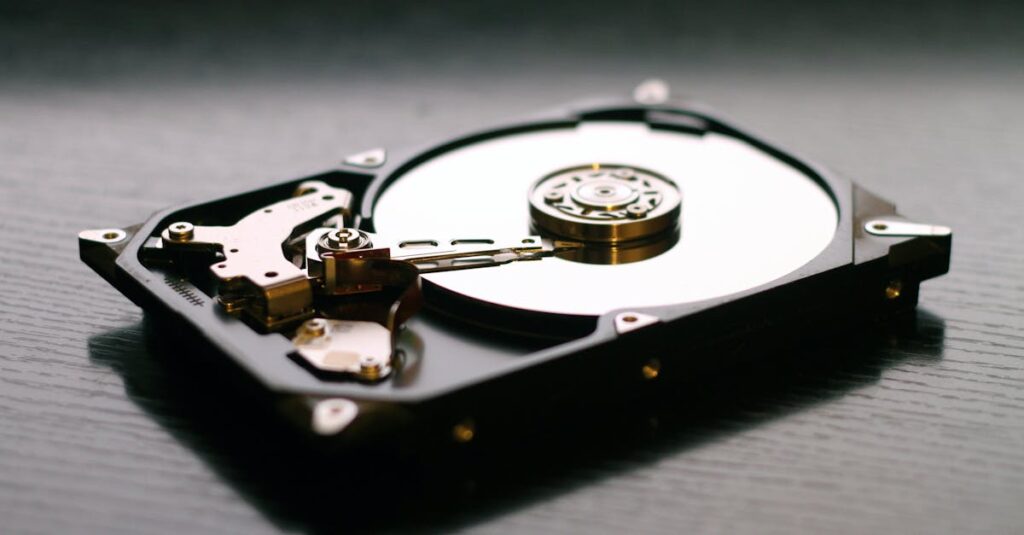
Common hardware issues include overheating, often caused by dust accumulation in critical areas. Failing hard drives frequently lead to data loss, necessitating prompt replacement. Malfunctioning power supplies disrupt functionality and can damage other components. Users also encounter issues with RAM, leading to crashes or slow performance. Graphics card failures often result in display problems. Recognizing these issues allows for timely repairs, ensuring systems remain operational.
Tools and Equipment for Repair
The right tools can make computer hardware repair efficient and straightforward. Technicians rely on a variety of instruments to diagnose and resolve issues.
Essential Tools for Beginners
Screwdrivers in various sizes are crucial for opening computer cases. A static wrist strap protects sensitive components from electrostatic discharge. Pliers assist in gripping small parts securely. Tweezers allow for precise handling of tiny components. Multimeters measure voltage, current, and resistance, providing essential data for troubleshooting. A basic toolkit often includes a flashlight for visibility in tight spaces. These tools form a foundation for beginners starting their repair journey.
Advanced Tools for Professionals
Professionals often use diagnostic software to identify hardware issues quickly. Oscilloscopes help analyze signal integrity for troubleshooting complex systems. Thermal imaging cameras detect overheating components that are not visible to the naked eye. Specialized screw extractors remove stripped screws without damaging hardware. Soldering stations allow precise repairs of circuit boards. Professional-grade multimeters offer advanced features for intricate testing. These tools are essential for technicians tackling sophisticated repairs and optimizing performance.
Step-by-Step Repair Process
Understanding the step-by-step repair process is crucial for effectively addressing computer hardware issues. Following a structured approach helps in quickly identifying and resolving problems.
Diagnosing Hardware Problems
Start by examining the symptoms. If a device won’t turn on, check the power source first. Listen for unusual sounds, which may indicate a failing component. Use diagnostic software to capture error messages, as these can direct technicians to the fault. Visual inspection of internal components reveals obvious issues, like burnt elements or loose connections. Testing RAM with specific tools helps ascertain performance problems. Establishing these diagnostics lays the groundwork for the next steps in repair.
Replacing Faulty Components
Remove the faulty component with care and ensure the power source is disconnected. Use appropriate tools to detach and replace components, which may include hard drives and power supplies. Consider compatibility with the existing hardware when selecting replacements. Connect new parts securely, ensuring no cables are pinched or improperly positioned. Test the device after installation to confirm improvements in functionality. Regularly replacing components as they fail prevents cascading issues and maintains system performance.
Troubleshooting Techniques
Troubleshooting techniques help address hardware issues effectively. Knowing these steps can speed up the repair process and minimize downtime.
Basic Troubleshooting Steps
Identifying issues begins with observing symptoms like unexpected shutdowns or unresponsive screens. Checking connections can reveal loose cables or improperly seated components. Next, testing power sources typically involves verifying power supply functionality. Utilizing diagnostic software offers insights into system errors, while running visual inspections allows for detecting cracks or burn marks. Lastly, resetting system components such as RAM or hard drives often resolves minor glitches.
When to Seek Professional Help
Recognizing when to seek professional assistance is crucial for complex problems. Persistent issues that resist all troubleshooting efforts may indicate serious hardware failure. In addition, continual overheating despite cleaning efforts often signals deeper issues within the cooling system. If unusual sounds persist after basic checks, this could indicate failing components. Lastly, when attempting repairs exceeds comfort levels, consulting a technician ensures safety and appropriate resolution.
Computer hardware repair is essential for maintaining optimal performance and productivity. By understanding the basics and having the right tools, anyone can tackle common issues before they escalate. Regular maintenance and timely repairs not only extend the lifespan of devices but also enhance overall efficiency.
For those who prefer a hands-on approach, the journey into hardware repair can be rewarding and empowering. However, recognizing when to seek professional assistance is equally important. With the right knowledge and resources, keeping computers running smoothly becomes a manageable task, ensuring they remain reliable assets in both personal and professional settings.


